> For the complete documentation index, see [llms.txt](https://docs.orangepill.cloud/llms.txt). Markdown versions of documentation pages are available by appending `.md` to page URLs; this page is available as [Markdown](https://docs.orangepill.cloud/smartapps/blockchain-deposits.md).
# Blockchain Deposits
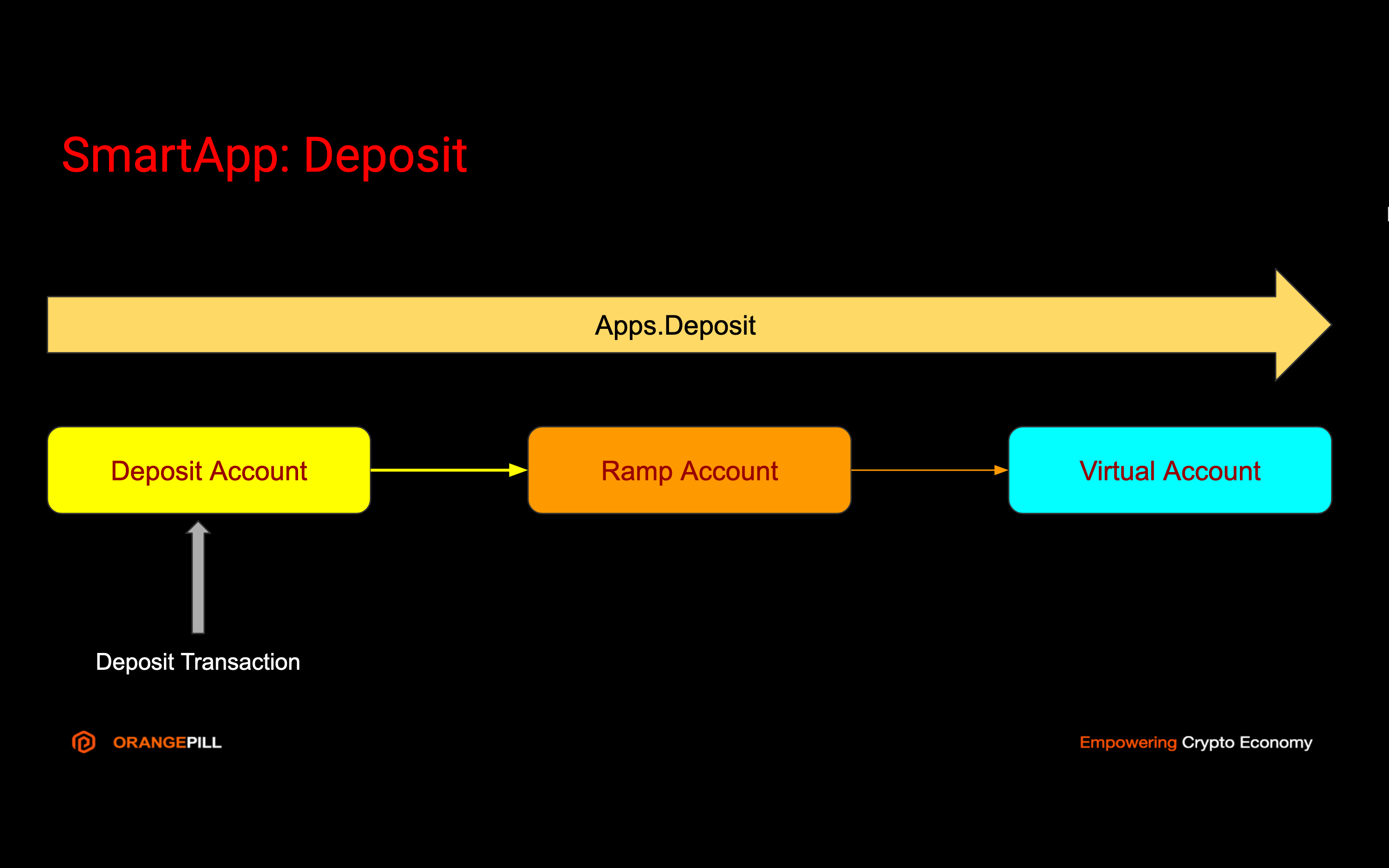
Use Apps.Deposit to forward blockchain deposit to virtual account.
To simplify acceptance of digital assets you can use Deposit SmartApp. Deposit SmartApp will orchestrate automatic forwarding of deposit to related Virtual account.
Amount received to Virtual account will be diminished for the amount of blockchain fee paid for automatic withdrawal from Deposit account to Ramp account.
## Create Deposit
Use `seal` object to store immutable data about the deposit.
Use `data` object to store variable data about the deposit.
{% hint style="info" %}
Source Deposit account is automatically created.
{% endhint %}
{% hint style="info" %}
Target Virtual account must have related Ramp account assigned.
{% endhint %}
To create Deposit you must provide target Virtual account address or alias.
{% tabs %}
{% tab title="cURL" %}
{% endtab %}
{% endtabs %}
In response we get new `deposit` with status `PENDING` if validation was succesful. Notice that Deposit account is automatically created for `source`.
```json
{
"id": "639d2416cd7325b35f409452",
"source": {
"account": "634b56217f6a7b0be52dffbd",
"deposit_address": "bc1q7pna7w7462uruh8m54tcnzspva8xd98wmc546u",
"owner": "639675ab191e9023f356dfa6"
},
"destination": {
"account": "6340be52dffbdb56217f6a7b",
"owner": "639675ab191e9023f356dfa6"
},
"asset": "BTC",
"data": {
"description": "Desposit account for John James"
},
"owner": "639675ab191e9023f356dfa6",
"created_at": 1671242774572,
"status": "PENDING",
"error": null
}
```
### Deposit status
Status
Description
PENDING
Awaiting for first deposit.
PROCESSING
Deposit received, withdrawal and forwarding in process.
DONE
Deposit processing was successful.
FAILED
Deposit creation or processing has failed.
##
{% hint style="info" %}
You can use the same Deposit App to receive multiple deposits. If the Deposit was in status `DONE`, it will change status to `PROCESSING` upon receiving of new deposit.
{% endhint %}
## List deposits
You can apply filters to get list of deposits.
{% tabs %}
{% tab title="cURL" %}
echo 'list deposits with status PENDING'

curl --location --request GET 'https://api.orangepill.cloud/v1/apps/deposit?query={"status":"PENDING"}' \
--header 'x-api-key: AXVubzpwQDU1dzByYM==' \
--header 'Content-Type: application/json'
{% endtab %}
{% endtabs %}
In response we get array of `payment` objects.
```json
[{
"id": "639d2416cd7325b35f409452",
"source": {
"account": "634b56217f6a7b0be52dffbd",
"deposit_address": "bc1q7pna7w7462uruh8m54tcnzspva8xd98wmc546u",
"owner": "639675ab191e9023f356dfa6"
},
"destination": {
"account": "6340be52dffbdb56217f6a7b",
"owner": "639675ab191e9023f356dfa6"
},
"asset": "BTC",
"data": {
"description": "Desposit account for John James"
},
"owner": "639675ab191e9023f356dfa6",
"created_at": 1671242774572,
"status": "PENDING",
"error": null
}]
```